
- Offers
- Service providers
- Knowledge base
- Tools
- Arena
- Contact
- Partners
EN
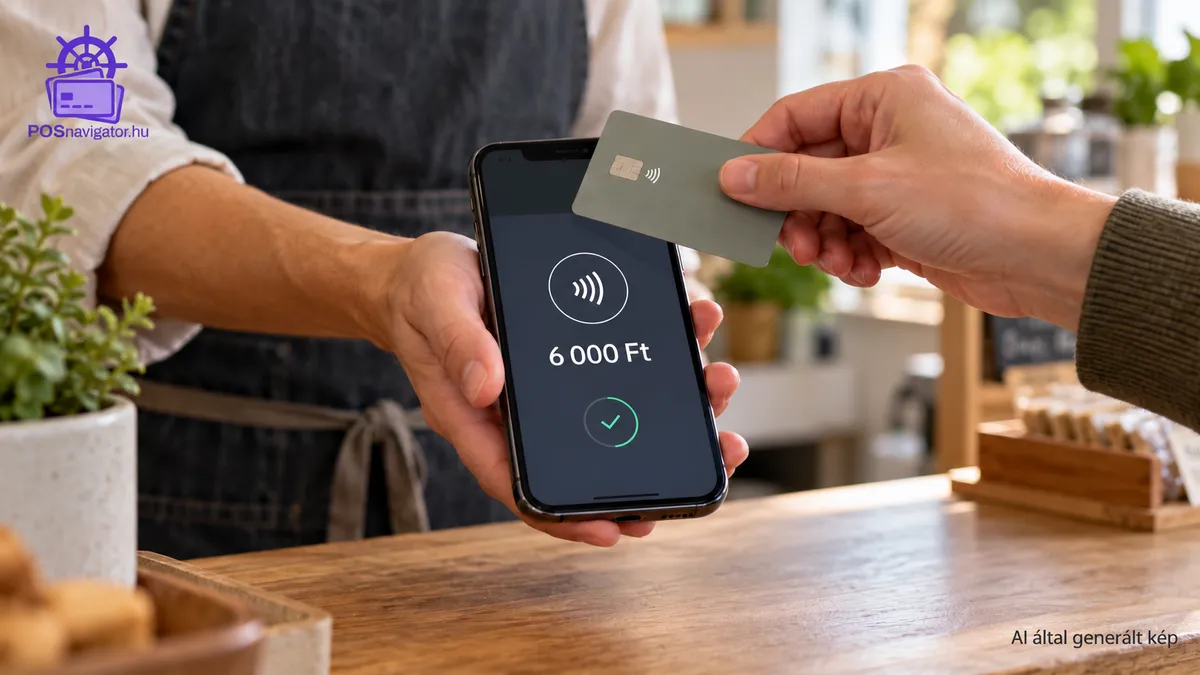
It is Saturday morning at the market. A customer has their card ready, two more are waiting, and you are opening the payment app on your phone. Having one less device to charge and carry would help. Before choosing phone-based card acceptance, though, check what small purchases will cost you and whether the app works on the phone you already own.
When comparing Hungarian SoftPOS offers for 2026 at POSnavigator, we found that even the names of fees can be misleading: one percentage covers the full transaction charge, while another has extra components added to it. Here we compare public tariffs with our own offer database so you can choose around your turnover and the way you work.
Sources checked and data retrieved: 19 October 2026. Partner offers are identified separately; there is no provider ranking that fits every business.
If you trade only at weekends or during a short season, fixed costs in quiet months matter as much as the transaction rate. With lots of small purchases, include any fixed charge per transaction: the same charge takes a different share of a small basket than a large one.
If several staff members take payments, or you want qvik alongside card acceptance, a fee list alone will not answer everything. Note who will use which phone, whether you need tipping, and how you will issue receipts. Ask providers about these points when comparing their offers.
A SoftPOS application uses a compatible phone's NFC capability to accept payments. The customer taps a card or digital wallet on the merchant's phone. No separate Bluetooth card reader is involved. Here, phone-based payments mean that you accept payments on your phone.
Check support for Visa, Mastercard and Apple Pay with the individual application. A customer being able to pay with an iPhone does not necessarily mean that the merchant's application also runs on an iPhone.
For more detail, read our guide to accepting cards on your phone and our comparison of POS terminals, mobile card readers and SoftPOS.
We checked the fees on providers' Hungarian websites. Where there is no public tariff that applies to every business, ask the provider for written fees for your business. The quote will show any monthly or setup charge and the fee you pay on card transactions. These percentages do not all cover the same costs: an all-in transaction fee should not be ranked directly against only the merchant component of an interchange-based price.
Monthly fee / setup: HUF 0 per month; HUF 0 activation.
Card transaction fee: 1.95%.
Contract and practical considerations: no subscription; Android and iPhone on supported devices.
A plan without a monthly fee is straightforward for occasional use. Still, check your actual card turnover: with regular, higher sales, it is worth calculating the subscription option against the same figures.
Monthly fee: HUF 8,299.
Card transaction fee: 0.95% for domestic consumer cards; 1.95% for corporate and non-EU cards.
Contract and practical considerations: a subscription alternative; check cancellation terms and annual billing separately.
Fixed monthly cost: HUF 0.
Card transaction fee: 1.15% for EEA consumer debit and credit cards; 1.95% for international and business cards.
Eligibility and practical considerations: for new SumUp customers; confirm the fee for your specific SoftPOS registration before ordering.
Monthly fee / setup: no fixed monthly fee or separate Glass setup fee.
Card transaction fee below HUF 4 million in monthly card turnover: EEA consumer cards 1.45% + HUF 15; EEA business cards / Amex 2.45% + HUF 15; other cards 2.85% + HUF 15.
Contract and practical considerations: the public pricing page states no contractual commitment; settlement to a myPOS account.
Pay attention to the fixed amount per transaction as well as the percentage. If customers usually buy small items, you need your average basket value to get a useful cost estimate. Also check the terms for transferring money out of the myPOS account if you handle your everyday banking elsewhere.
Monthly fee / setup: HUF 0 per device when monthly turnover reaches HUF 300,000; below this, HUF 990 according to the individual contract. Joining fee: HUF 990.
Card transaction fee: 0.99% merchant fee + interchange + scheme fee.
Contract and practical considerations: no loyalty period; contactless card acceptance on Android. Check applicable VAT.
If you use several phones, clarify the turnover threshold and monthly charge for each device. Ask for the complete card acceptance fee in your quote; the 0.99% figure alone will not tell you what a month of payments will cost.
Monthly cost: ask the provider to confirm the monthly charge and any setup costs for your business in writing.
Card transaction fee: the provider’s written quote will show the percentage you pay and any fixed charge per transaction.
Contract and practical considerations: Android/iPhone; request the minimum fee and contract duration in writing.
Monthly fee: the Hungarian product page states no monthly fee.
Card transaction fee: ask the provider to confirm your percentage fee and any fixed charge per transaction in writing.
Contract and practical considerations: an agreement is required; digital payment confirmations, printing options and tipping.
Monthly cost: ask the provider to confirm the monthly charge and any setup costs for your business in writing.
Card transaction fee: the provider’s written quote will show the percentage you pay and any fixed charge per transaction.
Contract and practical considerations: Android-based; check the supported device list and contract duration.
Use the same figures when asking providers to confirm their fees: give each provider the same monthly card turnover, basket value and number of phones. If tipping or access for several staff members matters, ask for a demonstration too. A busy shift is a poor time to discover how the app handles it.
Sources: SumUp Tap to Pay pricing, SumUp–POSnavigator partner terms, myPOS fees, Glass pricing explanation, SimplePay Telefonos POS, Teya pricing, Teya phone-based payments, GP tom Hungarian product page, K&H SoftPOS.
Revolut Tap to Pay: its iPhone solution is also worth comparing, but public Hungarian sources differ on the fixed fee. The pricing page shows 0.8% + HUF 10 for in-person Visa/Mastercard payments and an additional HUF 10 Tap to Pay charge, while the Tap to Pay legal terms show a HUF 50 fixed fee. We therefore do not give a single definitive monthly total. Confirm the fees for your Business account and include the account plan cost.
On 19 October 2026, we also retrieved offers with HUF 1,000,000 in monthly turnover, a HUF 5,000 average basket and the phone-based POS filter. Each offer below shows the average monthly cost first, followed by the estimated total over 48 months. Average monthly cost means the 48-month total divided by 48; it is a comparison measure, not a fixed contractual monthly fee.
Why 48 months? A four-year horizon supports long-term planning: it puts initial, recurring and transaction-based costs on the same time basis. This is a calculation horizon, not an assumed four-year commitment or a promise that fees will remain unchanged. For a short season or a different planning period, request a separate estimate.
Average monthly cost: HUF 11,500.
Estimated 48-month cost: HUF 552,000.
Interpretation: the model uses the 1.15% fee for the selected profile; confirm SoftPOS eligibility separately.
Average monthly cost: HUF 14,696.21.
Estimated 48-month cost: HUF 705,418.14.
Interpretation: modelled total cost, rather than simply 0.99% multiplied by turnover.
Average monthly cost: HUF 17,799.
Estimated 48-month cost: HUF 854,352.
Interpretation: transaction fees plus 48 monthly subscription payments of HUF 8,299.
Average monthly cost: this can be calculated once the provider has confirmed the fees for your business in writing.
Estimated 48-month cost: this can be estimated from the provider’s quoted fees; we do not give an amount until those fees are known.
Interpretation: HUF 0 displayed when fee data is missing does not mean the service is free.
Data quality note: the myPOS catalogue still contains Starter/Pro packages, whereas the current public Glass page refers to standard pricing. We therefore use the current official fee schedule in the myPOS overview and do not publish a comparative cost estimate based on the older packages. We also found conflicting Revolut fixed fees. These uncertain items are not used to establish a definitive cheapest-provider ranking.
For more on total cost, read our article about hidden costs in card acceptance.
At markets and fairs, small baskets, a short season and mobile coverage all matter. Do not test payments only at home: check the connection at your actual stall, and include charges during months with no sales.
For hairdressers, beauty professionals and tradespeople working on-site, think about where the phone will sit during payment and how the customer will get their receipt. On a small counter, every extra device takes space; on a call-out, check the battery before leaving. Verify device support, payment confirmations and access to your takings alongside the fee.
In hospitality, run through the process with a colleague: enter the amount, add a tip, take the payment and issue the receipt. Re-entering the same information can quickly create a queue during a busy shift. Ease of use and staff access may matter more than a few tenths of a percentage point.
Online reviews can raise useful questions, but they are not tariff sources. In a 2022 Hungarian business discussion, contributors described using SumUp equipment and delays with account verification; another chose myPOS. These are individual, historical accounts, not a 2026 quality ranking. A practical takeaway is to complete identity checks and a small test payment before your first trading day.
The article's search widget asks for three inputs: average monthly turnover, average basket value and the activity that best describes your business. Enter the expected card-paid portion of turnover: for example, with HUF 1 million in total sales and a 60% card share, enter HUF 600,000. Cost estimates cover 48 months; request a separate quote for a short season.
View SoftPOS offers → This link opens the landing page with its default settings; you may need to enter your widget inputs again.
No. Providers may restrict the operating system, phone model and security configuration. SumUp's Android page requires NFC and Android 11 or newer. SimplePay also lists unsupported devices. Check your exact model before installing.
No. The partner page lists 1.15% for EEA consumer debit and credit cards and 1.95% for international and business cards. Confirm the specific SoftPOS fee for the new-customer package during registration.
No. The official page also lists interchange and scheme fees for card payments. Include the joining fee, any turnover-dependent monthly fee and applicable VAT.
Check the two processes separately. A successful card transaction confirmation alone does not establish that the required sales receipt or invoice has also been issued. Test your own invoicing or receipt workflow as well.
Acceptance depends on the particular application and connection. Plan charging, a verified internet connection and a backup payment method; do not assume offline card acceptance.
Do not leave your first payment test until customers are waiting. Shortlist the options that work on your phone, compare the full cost, then test both payment and receipt handling. Explore SoftPOS offers on POSnavigator and request terms for your business.
Weekly summary of the best POS terminal offers
We handle your data confidentially. Details in the privacy policy.