
- Offers
- Service providers
- Knowledge base
- Tools
- Arena
- Contact
- Partners
EN
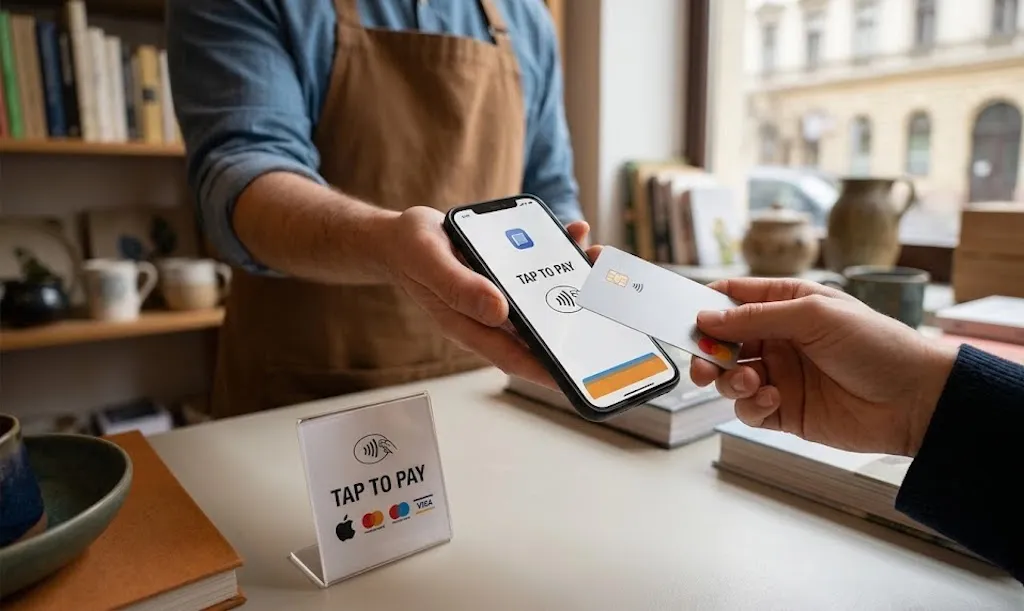
Tap to Pay on iPhone is Apple's technology that turns your iPhone into a contactless payment terminal — no additional hardware required. Available in Hungary since March 2025, it fundamentally changes how small and medium businesses can accept payments.
The concept is simple: download a partner app, register, and use your iPhone's built-in NFC chip to accept contactless card and mobile payments. No separate POS terminal, card reader, or accessories needed.
Apple officially launched Tap to Pay in Hungary on March 19, 2025. Hungary joined the growing list of European countries where iPhones can be used for merchant payment acceptance.
Before this launch, only Android phones could be used for SoftPOS (phone-based card acceptance) in Hungary due to the iPhone's previously closed NFC system. Now iPhone users can enter this market too.
The process for merchants is straightforward:
Download a partner app — such as SumUp, myPOS, Revolut Business, Viva.com, or another compatible app from the App Store.
Register and activate your account — enter your business details, accept the terms, and set up Tap to Pay within the app.
Enter the amount — type the payment amount in the app.
Customer taps their card or phone — they hold their contactless bank card, Apple Pay, Google Pay, or other digital wallet near the top of your iPhone.
Transaction complete — within seconds, a checkmark confirms the successful payment.
If the transaction exceeds the contactless limit, customers can enter their PIN directly on the iPhone screen — no separate keypad needed.
Tap to Pay requires an iPhone XS or later running the latest version of iOS. This covers iPhones from 2018 onwards, so most iPhones currently in use are compatible.
Supported models include: iPhone XS/XR and later, iPhone SE (3rd generation), and all iPhone 11 through 16 family models.
Tap to Pay on iPhone supports:
Contactless bank cards — Visa, Mastercard, Maestro
Apple Pay — from iPhone or Apple Watch
Google Pay — from Android phones
Other digital wallets — Samsung Pay and other NFC-based solutions
Discover and AMEX — with select providers (e.g., SumUp)
As of March 2025, seven payment service providers support Tap to Pay on iPhone in Hungary:
Transaction fee: 1,69%-1,95% (depending on card type) per payment. No monthly fees, no contracts. The app is free to download and you can start accepting payments within minutes. Ideal for occasional sellers and businesses wanting predictable costs.
With a Revolut Pro account, the Tap to Pay transaction fee is 0,8-2,6% + 10 HUF (depending on card type). Money arrives in your Revolut business account with no monthly fees. Note that the Revolut Reader (physical terminal) has a lower 1.5% fee, so consider your volume when choosing.
Available through the myPOS Glass app. The biggest advantage is instant settlement — money appears in your myPOS account immediately after each transaction. No monthly fees, no contracts.
Viva.com offers Tap to Pay through its Terminal iOS app. Transaction fee from 2.19% + 89 HUF (depending on card type). Pricing follows the interchange++ model: actual interchange fee + scheme fee + Viva margin. For domestic consumer cards, this means 0.20% (debit) or 0.30% (credit) interchange, plus additional fees.
These providers primarily serve larger merchants and chains with custom, negotiated pricing. If you're already using one of these platforms, Tap to Pay can be easily activated within your existing setup.
Use the POSnavigator cost calculator to compare providers based on your actual transaction volume.
You have low transaction volume or occasional sales (markets, events, delivery)
You don't want to buy or rent additional hardware
You already own an iPhone XS or newer
You provide mobile services (hairdresser, massage therapist, personal trainer, courier)
You need a secondary acceptance point (terrace, delivery)
You have high daily transaction volume (retail store, restaurant counter)
On-site receipt printing is important
You need to accept chip-only (non-contactless) cards
You need cash register integration
Multiple employees accept payments simultaneously
The two aren't mutually exclusive: many businesses use a physical terminal in-store and Tap to Pay for deliveries or events.
Tap to Pay on iPhone is essentially Apple's version of SoftPOS. SoftPOS (Software Point of Sale) is the broader category that includes Android-based phone payment acceptance as well.
SoftPOS on Android — available in Hungary for years, with a wider range of providers including banks (K&H, Erste/Teya)
Tap to Pay on iPhone — Apple's official solution, available in Hungary since March 2025 with 7 providers
For a detailed comparison, read our SoftPOS in Hungary guide.
No card data storage — Apple stores no card numbers on the device or its servers
Encrypted communication — transactions use encrypted NFC channels
Screen recording disabled — screenshots and video recording are blocked during payment
PCI DSS compliant — meets international payment security standards
Check your iPhone — you need iPhone XS or later with the latest iOS.
Choose a provider — compare fees using the POSnavigator comparison tool.
Download the app — install your chosen provider's app from the App Store.
Register and activate — enter your business details and accept the terms.
Set up Tap to Pay — find the setting within the app and follow the instructions.
Accept your first payment — enter the amount and ask the customer to tap their card or phone.
With most providers, the entire process takes just a few minutes.
No. Just an iPhone XS or newer and the partner app.
No maximum limit. For amounts above the contactless limit (typically HUF 15,000), the customer enters their PIN on the iPhone screen.
Yes. Most providers (SumUp, Revolut, myPOS) are available for sole traders with minimal administration.
Tap to Pay on iPhone has been available in Hungary since March 2025, offering a genuine alternative to traditional POS terminals — especially for low-volume businesses, mobile service providers, and occasional sellers. It launched with seven providers (SumUp, Revolut, myPOS, Viva.com, Adyen, Global Payments, Worldline), with typical no monthly charges.
To compare providers, use the POSnavigator cost calculator.
Weekly summary of the best POS terminal offers
We handle your data confidentially. Details in the privacy policy.